Dodolyst
We’re your premier destination for expert insights on tech, finance, analytics, lifestyle, and more. Explore a wealth of knowledge and unlock your full potential with our curated resources and articles
Dodolyst
We’re your premier destination for expert insights on tech, finance, analytics, lifestyle, and more. Explore a wealth of knowledge and unlock your full potential with our curated resources and articles

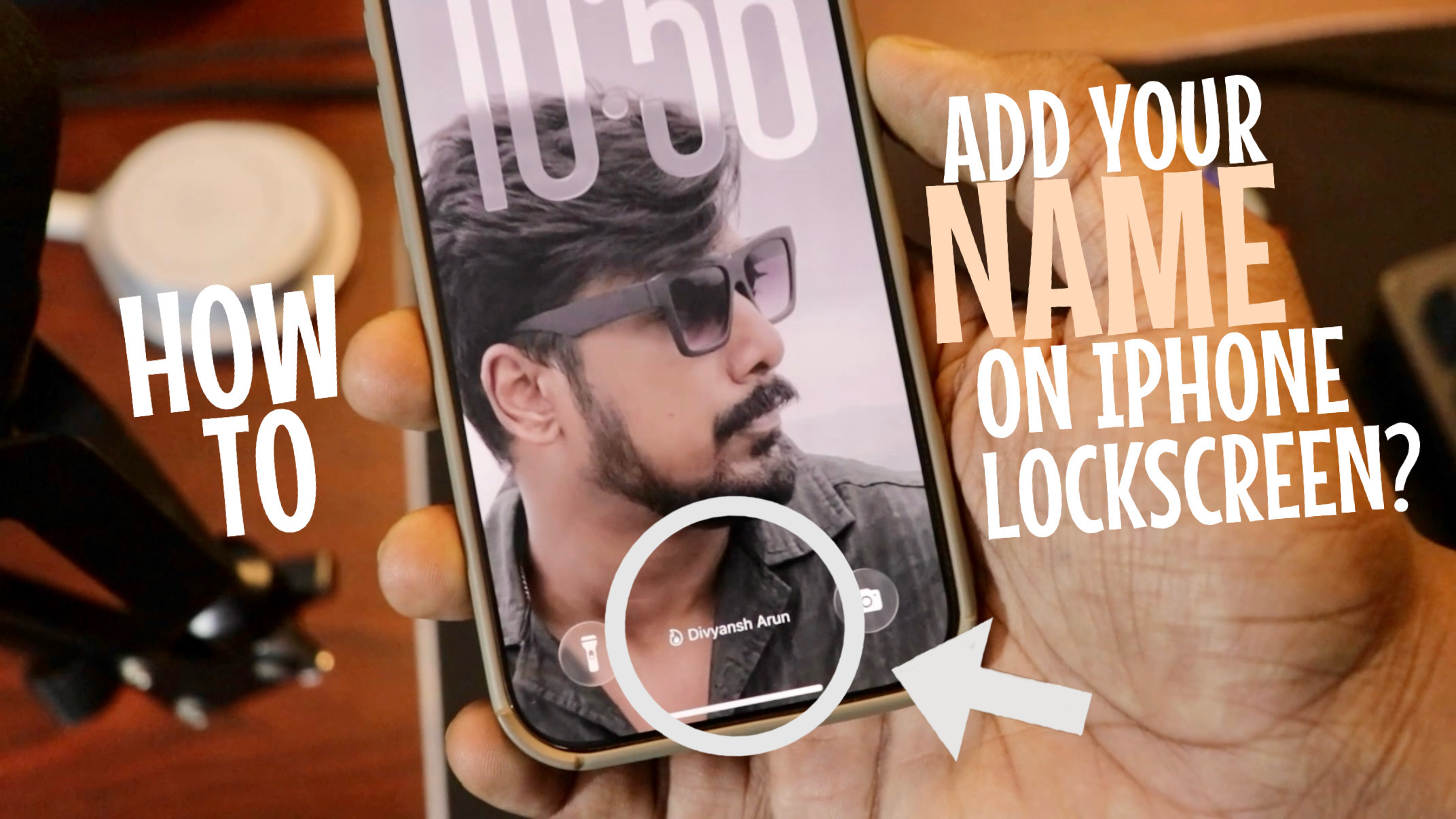
Want to make your iPhone lock screen look more personal by showing your name right below the time?
Good news — you can do it without downloading any app. Most iPhone users don’t know this simple Focus Mode trick, but once you set it up, your lock screen instantly looks unique and stylish.
In this guide, I’ll show you step by step how to add your name (or any custom text) to your iPhone lock screen.
Apple’s Focus Mode isn’t just for work or sleep — it can also be used as a powerful lock screen customization hack.
When a Focus is active, iOS shows its name and icon below the time on your lock screen. By naming the Focus after yourself, your name appears automatically.
✔ No third-party apps
✔ Completely free
✔ Works on modern iOS versions
✔ Looks clean and native
Open Settings on your iPhone
Tap Focus
Tap the plus (+) icon
Select Custom
Now comes the important part:
In the Focus name, type your name (for example: Divyansh) or any text you want
Choose an icon and color to match your style
This name is exactly what will appear on your lock screen.
Once your custom Focus is created:
Turn the Focus ON
Lock your phone
Wake up the screen
👉 You’ll now see your name displayed neatly below the time, along with the Focus icon next to it — giving your lock screen a premium, personalized look.
The best part? You’re not limited to just one name.
You can create multiple Focus modes, such as:
Your name
Motivational quotes
Daily reminders
Fun words or emojis
Switching between Focus modes instantly changes the text shown on your lock screen. It’s an underrated iPhone personalization trick that very few people use.
And that’s how you can easily add your name to your iPhone lock screen using Focus Mode.
No apps, no jailbreaks — just a simple built-in iOS feature used creatively.
If you enjoy discovering iPhone tips and tricks, stay tuned for more smart customization hacks.